 English
 Spanish
 French
 German
 Italian
 Amharic
 Afrikaans
 Arabic
 Chinese
 Japanese
 Korean
 Turkish
 Finnish
 Bengali
 Czech
Czech
 Indonesian
 Danish
 Greek
Greek
 Hindi
Hindi
 Armenian
 Malay
Malay
 Dutch
Dutch
 Norwegian
 Polish
 Portuguese
 Romanian
 Russian
 Swedish
 Thai
Thai
 Vietnamese
 Ukrainian
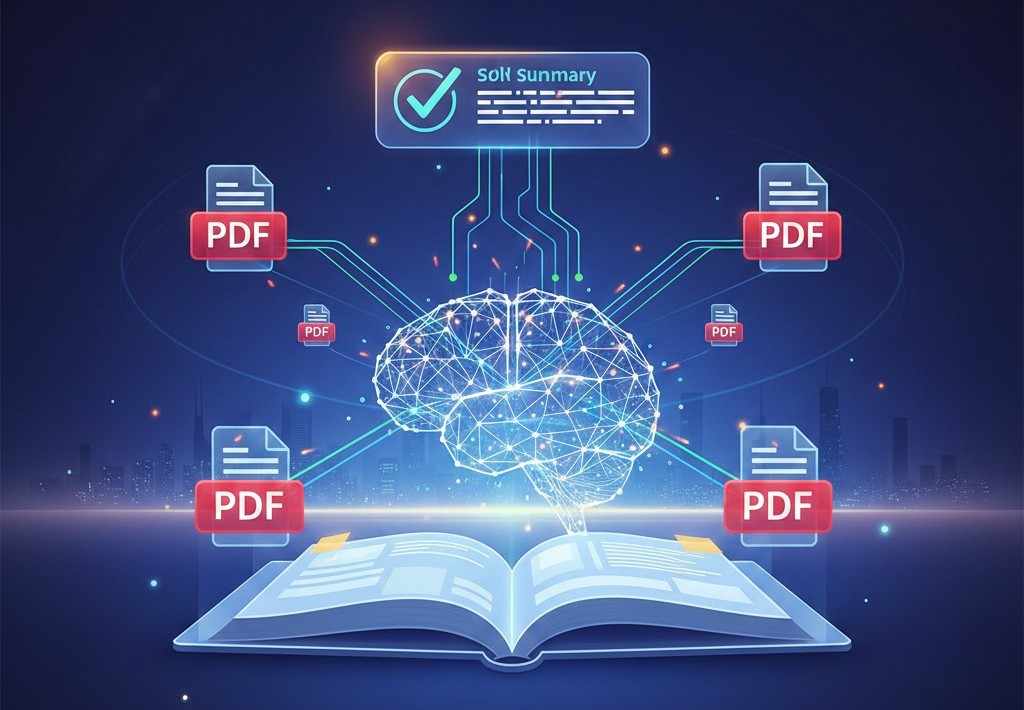
How Google AI Overviews Understand and Use PDF Content in 2026
PDFs in the Age of AI Search
Search behavior has changed significantly in recent years. Users now expect direct answers instead of long lists of links. Google AI Overviews are designed to meet this expectation by summarizing information from multiple trusted sources.
PDF files play an important role in this system. Reports, guides, research papers, manuals, and official documents are often published as PDFs. In 2026, Google AI systems actively analyze PDF content to generate accurate and reliable summaries.
Understanding how Google AI Overviews process PDFs helps publishers, businesses, and content creators improve visibility and ensure their documents are correctly interpreted.
What Are Google AI Overviews
Google AI Overviews are AI-generated summaries that appear at the top of search results. They aim to provide clear, factual answers by synthesizing information from authoritative sources.
These overviews rely on:
- Structured content
- Clear explanations
- Reliable document formats
- Semantic understanding
PDFs are frequently included because they often contain well-structured and authoritative information.
Why PDFs Matter to Google AI Systems
PDFs are widely used for finalized and official content. Unlike editable documents, PDFs preserve structure and layout, which helps AI systems interpret information consistently.
Key reasons PDFs matter include:
- Stable formatting
- Clear headings and sections
- Long-form, in-depth content
- High trust signals
AI systems treat well-structured PDFs as strong informational sources.
How Google AI Analyzes PDF Content
1. Text Extraction and Structure Recognition
Google AI first extracts text from PDF files. Modern systems do more than read text sequentially.
They identify:
- Headings and subheadings
- Paragraph boundaries
- Lists and tables
- Page relationships
Clear structure improves AI understanding and increases the likelihood of being referenced in AI summaries.
2. Semantic Understanding of Content
After extraction, AI models analyze meaning rather than keywords alone.
This includes:
- Identifying main topics
- Understanding relationships between sections
- Recognizing definitions and explanations
- Distinguishing core content from supporting details
PDFs with clear explanations perform better than fragmented documents.
3. Summarization and Answer Generation
AI systems generate summaries by selecting the most informative sections.
Documents that:
- Answer common questions
- Explain concepts clearly
- Avoid unnecessary repetition
are more likely to influence AI Overviews.
AI summarization tools reflect the same principles.
What Makes a PDF AI-Friendly
Not all PDFs are equally useful for AI systems.
AI-friendly PDFs typically include:
- Clear titles
- Logical headings
- Simple language
- Consistent formatting
- Focused topics
Poorly scanned or unstructured PDFs are harder for AI to process accurately.
Role of File Optimization in AI Visibility
Technical quality matters.
Optimized PDFs:
- Load faster
- Are easier to parse
- Reduce processing errors
Compressing PDFs without quality loss helps both users and search systems.
Smaller, cleaner files improve accessibility and usability.
Conversion and AI Interpretation
Many PDFs originate from Word or image files.
Correct conversion improves AI readability.
Examples:
- Word to PDF ensures consistent structure
- PDF to Word allows content refinement before republishing
Clean conversion prevents layout errors that confuse AI models.
How Multi-Page PDFs Are Handled
Google AI does not treat each page separately. It analyzes the entire document as a single information unit.
For multi-document submissions, merging related files into one PDF improves clarity.
Unified documents provide better context and stronger signals.
Image-Based PDFs and AI Challenges
Scanned PDFs and image-heavy documents are more difficult for AI to interpret.
Best practices include:
- Converting images into structured PDFs
- Avoiding image-only text where possible
AI accuracy improves when content is selectable and readable.
Why Clear Explanations Win in AI Overviews
Google AI prioritizes content that explains topics clearly and directly.
PDFs that work well in AI Overviews:
- Define terms
- Answer common questions
- Provide step-by-step explanations
- Avoid promotional language
This mirrors how AI-generated answers are constructed.
Common PDF Issues That Reduce AI Visibility
Problems that limit AI usefulness include:
- Unclear headings
- Overly complex language
- Poor scanning quality
- Mixed topics in one document
- Excessive visual clutter
Fixing these issues improves both user experience and AI interpretation.
External Reference on AI Search
According to Google Search Central documentation , structured and accessible content helps search systems understand and surface information accurately:
This guidance applies equally to PDFs and web pages.
Conclusion: PDFs Are Active Participants in AI Search
In 2026, PDFs are no longer passive files stored online. They are actively analyzed, summarized, and referenced by Google AI Overviews. Well-structured, optimized, and informative PDFs have a strong chance of influencing AI-generated answers.
By focusing on clarity, structure, and accessibility, publishers can ensure their PDF content remains visible and valuable in AI-powered search environments.
AI search rewards information that is easy to understand. PDFs that follow these principles remain a powerful source of trusted knowledge.
FAQs
Can Google AI Overviews read PDF files
Yes. Google AI systems actively analyze PDF content.
Are PDFs better than web pages for AI visibility
Not better, but well-structured PDFs are strong informational sources.
Do scanned PDFs affect AI understanding
Yes. Image-only PDFs are harder for AI to process accurately.
Does file size affect AI processing
Smaller, optimized PDFs are easier to handle and load faster.
Should PDFs be updated for AI search
Yes. Clear structure and updated content improve relevance.