 English
 Spanish
 French
 German
 Italian
 Amharic
 Afrikaans
 Arabic
 Chinese
 Japanese
 Korean
 Turkish
 Finnish
 Bengali
 Czech
Czech
 Indonesian
 Danish
 Greek
Greek
 Hindi
Hindi
 Armenian
 Malay
Malay
 Dutch
Dutch
 Norwegian
 Polish
 Portuguese
 Romanian
 Russian
 Swedish
 Thai
Thai
 Vietnamese
 Ukrainian
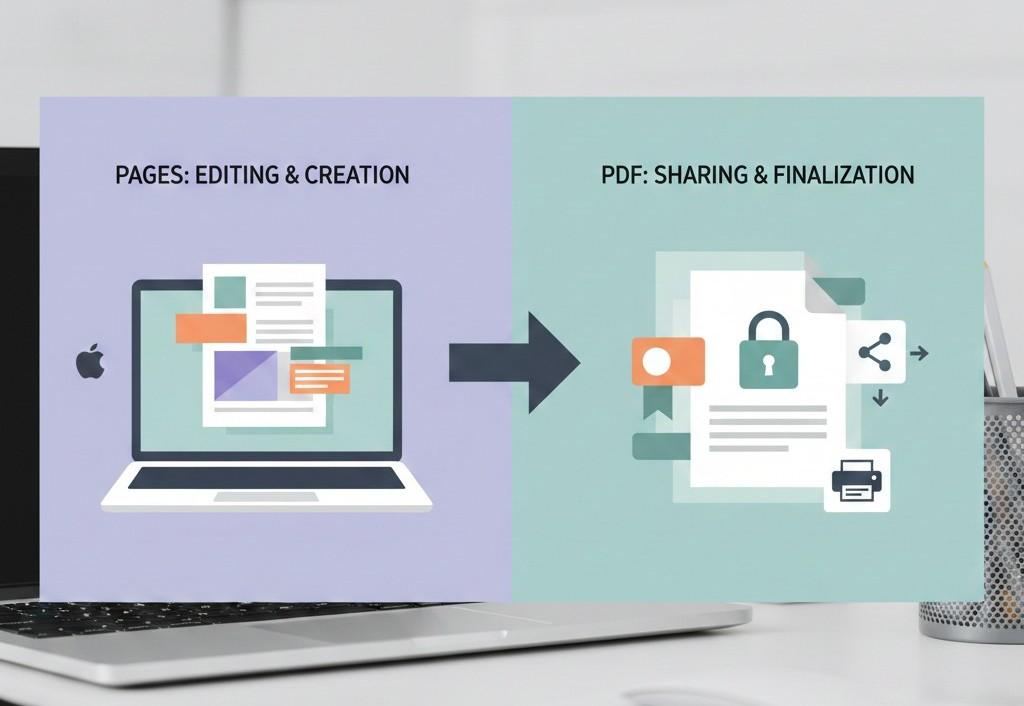
Pages vs PDF: Which File Format Is Better for Sharing and Submissions
Choosing the Right File Format Matters
Choosing the correct file format is an important part of document sharing. Many users create documents in Apple Pages, but problems often arise when those files are shared with others or uploaded to online platforms.
Pages files are designed for editing, while PDF files are designed for final presentation. Understanding the difference between Pages and PDF helps users avoid compatibility issues, formatting errors, and rejected submissions.
This article explains Pages vs PDF, their differences, use cases, and why PDF is usually the better choice for sharing and submissions.
What Is an Apple Pages File
Apple Pages is a word processing format developed by Apple. It is commonly used on macOS and iOS devices for writing documents such as letters, reports, assignments, and resumes.
Pages files are ideal for:
- Creating and editing content
- Designing layouts
- Collaborative work within Apple devices
However, Pages files are not universally supported outside the Apple ecosystem.
What Is a PDF File
PDF stands for Portable Document Format. It is designed to display documents consistently across all devices and operating systems.
PDF files are ideal for:
- Sharing finalized documents
- Printing
- Online submissions
- Professional communication
- Long-term storage
PDFs do not depend on specific software to open and maintain formatting.
Key Differences Between Pages and PDF
1. Compatibility
Pages files require Apple Pages or compatible software to open. Many users on Windows or Android devices cannot open Pages files easily.
PDF files open on:
- Windows
- macOS
- iOS
- Android
- Web browsers
This makes PDF the safer choice for sharing.
2. Formatting Stability
Pages files may change appearance depending on:
- Device type
- Software version
- Font availability
PDF files lock formatting, ensuring:
- Consistent layout
- Fixed fonts
- Reliable spacing
This is critical for professional documents.
3. Editing vs Finalization
Pages files are designed for editing. This makes them unsuitable for final submissions.
PDF files are designed for presentation. They prevent accidental changes and preserve document integrity.
4. File Acceptance
Many platforms require PDF format, including:
- Job portals
- Academic submissions
- Government websites
- Business systems
Pages files are often rejected or unsupported.
Why PDF Is Better for Sharing Documents
PDF is the preferred format when the document needs to be viewed exactly as intended.
Benefits include:
- Universal acceptance
- No layout changes
- Professional appearance
- Easy printing
- Secure sharing
For this reason, Pages documents are often converted to PDF before sharing.
When Pages Is Still Useful
Pages is useful when:
- Creating drafts
- Editing content
- Designing layouts
- Working within Apple devices
Once the document is finalized, converting it to PDF is the best practice.
How to Convert Pages to PDF Easily
The easiest way to avoid compatibility issues is to convert Pages files into PDF format.
You can convert Apple Pages files to PDF quickly and securely using this tool:
This allows users to create shareable PDFs without installing additional software.
Pages vs PDF for Students
Students often create assignments in Pages but must submit PDFs.
PDF benefits for students:
- Accepted by learning platforms
- No formatting issues
- Easy uploads
- Professional presentation
Submitting Pages files can lead to grading issues or rejected uploads.
Pages vs PDF for Professionals
Professionals use documents for resumes, reports, and proposals.
PDF is better because:
- It looks professional
- It prevents unwanted edits
- It opens correctly for recruiters and clients
Pages files may not open correctly for non-Apple users.
Pages vs PDF for Printing
PDF files are ideal for printing because:
- Page breaks remain fixed
- Margins stay consistent
- Fonts display correctly
Pages files may print differently depending on printer and system settings.
Security and Control
PDF files offer better control over content sharing.
Advantages include:
- Read-only access
- Reduced risk of modification
- Stable document version
Pages files allow editing, which is not always desirable.
What to Do After Converting Pages to PDF
Once converted, you can:
- Compress the PDF for easy sharing
- Merge it with other documents
- Share it confidently with anyone
These steps improve document workflow.
External Reference on PDF Use
According to Adobe , PDF is the global standard for reliable document sharing and printing:
This explains why PDF is widely accepted.
Conclusion: Pages for Editing, PDF for Sharing
Pages is a powerful tool for creating documents, but it is not ideal for sharing outside the Apple ecosystem. PDF is the better choice for submissions, printing, and professional communication.
The best workflow is simple. Create and edit documents in Pages, then convert them to PDF when they are ready to share.
Use a reliable Pages to PDF converter to ensure smooth document sharing:
FAQs
1. Can everyone open Pages files
No. Pages files are mainly supported on Apple devices.
2. Is PDF better for job applications
Yes. Most employers prefer PDF resumes and documents.
3. Does converting Pages to PDF change content
No. The content stays the same, only the format changes.
4. Can I still edit after converting to PDF
Yes. PDFs can be converted back to editable formats if needed.
5. Is PDF suitable for long-term storage
Yes. PDF is designed for durability and archival use.