 English
 Spanish
 French
 German
 Italian
 Amharic
 Afrikaans
 Arabic
 Chinese
 Japanese
 Korean
 Turkish
 Finnish
 Bengali
 Czech
Czech
 Indonesian
 Danish
 Greek
Greek
 Hindi
Hindi
 Armenian
 Malay
Malay
 Dutch
Dutch
 Norwegian
 Polish
 Portuguese
 Romanian
 Russian
 Swedish
 Thai
Thai
 Vietnamese
 Ukrainian
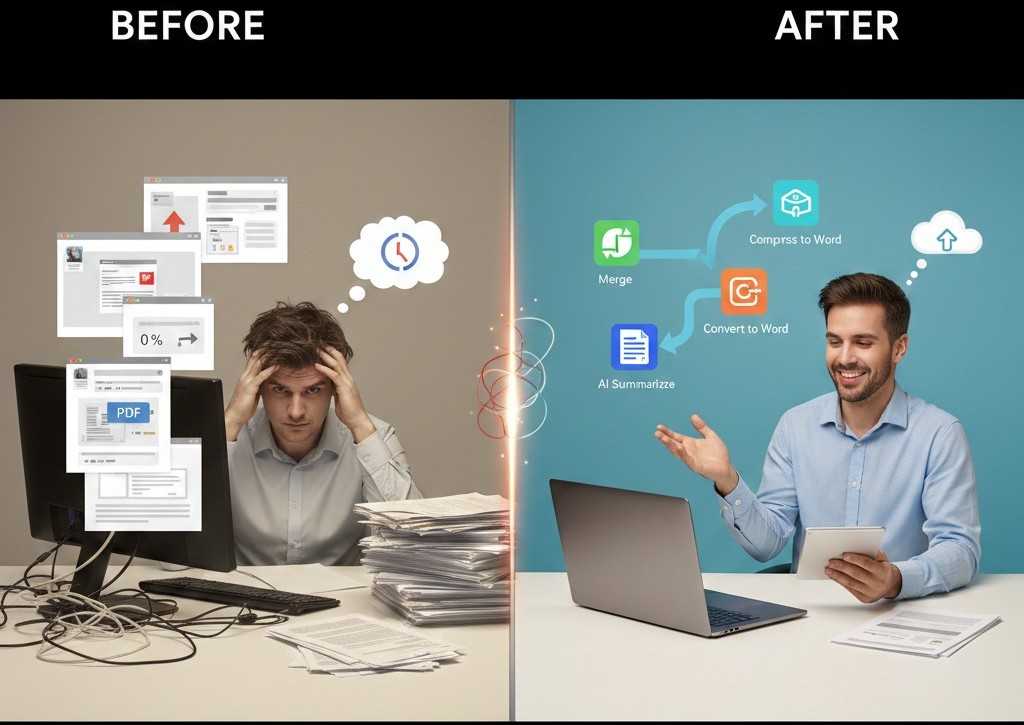
Before and After Using Online PDF Tools in 2026: A Real Productivity Comparison
Why PDF Workflows Matter More Than Ever
PDF files are part of everyday digital work. Students submit assignments, professionals share reports, businesses manage invoices, and freelancers deliver client documents. Yet many people still handle PDFs using outdated methods that slow them down.
The difference between struggling with PDFs and mastering them is not skill. It is workflow.
This article compares life before and after using modern online PDF tools. The contrast highlights how simple changes in document handling can lead to major improvements in speed, accuracy, and productivity.
Before Online PDF Tools: Common Struggles
Before adopting online PDF tools, users often experience repeated problems that seem normal but quietly waste time.
Manual Editing and Reformatting
Many users try to edit PDFs directly or copy text into other documents. This leads to broken formatting, missing fonts, and constant adjustments.
Large File Sharing Issues
Uncompressed PDFs fail to upload, bounce from email servers, or take too long to download on mobile devices.
Too Many Files to Manage
Projects are shared as multiple PDFs, causing confusion and follow-up messages asking which file is final.
Long Reading Time
Reports, research papers, and proposals take hours to read when only a summary is needed.
Dependency on Installed Software
Desktop PDF software requires installation, updates, licenses, and specific devices.
These issues compound over time and slow down daily work.
After Online PDF Tools: A Smarter Way to Work
Once users switch to browser-based PDF tools, the workflow changes completely.
Clean Editing Through Conversion
Instead of struggling to edit PDFs, users convert them into editable formats first.
Editing becomes faster, cleaner, and more reliable.
Consistent Sharing With Final PDFs
Documents are finalized as PDFs before sharing, preventing layout issues and accidental edits.
Recipients always see the document exactly as intended.
Smaller Files and Faster Transfers
PDFs are compressed before sending or uploading.
This improves delivery speed and reduces upload failures.
Single File Organization
Multiple documents are merged into one structured PDF.
This simplifies communication and file management.
Images Become Professional Documents
Scanned pages and photos are converted into organized PDFs.
Documents look cleaner and more professional.
Faster Understanding With AI Summaries
Long PDFs are summarized instead of read page by page.
Users save time while still understanding key points.
Before vs After: Side-by-Side Comparison
| Task | Before Online Tools | After Online Tools |
|---|---|---|
| Editing PDFs | Manual and frustrating | Clean and fast |
| File sharing | Frequent failures | Smooth delivery |
| File size | Large and slow | Optimized |
| Organization | Multiple files | One structured PDF |
| Reading time | Hours | Minutes |
| Device use | Limited | Any device |
Who Benefits the Most From the Change
Students
- Faster assignment submissions
- Fewer upload errors
- Easier study reviews
Professionals
- Cleaner reports
- Faster approvals
- Reduced revisions
Freelancers
- Quicker client delivery
- Mobile-friendly workflows
- No software dependency
Businesses
- Standardized document handling
- Improved efficiency
- Lower operational friction
Why This Shift Improves Productivity
Online PDF tools remove unnecessary steps from document workflows. Fewer steps mean fewer mistakes. Fewer mistakes mean faster results.
Small improvements in file handling create measurable productivity gains over time.
Security After Switching to Online Tools
Modern PDF platforms use secure processing methods such as encrypted transfers and automatic file deletion. Files are processed and removed without long-term storage.
This often results in better security than unmanaged local files.
External Productivity Insight
According to Harvard Business Review , simplifying routine digital tasks leads to consistent productivity improvement across teams. PDF workflows are one of the easiest areas to optimize.
Conclusion: The Difference Is Clear
The difference between struggling with PDFs and working efficiently is not technology. It is approach. Before online PDF tools, users waste time fixing avoidable problems. After switching, document handling becomes faster, cleaner, and more reliable.
PDFtools.net provides everything needed to move from frustration to efficiency using simple, free, browser-based tools.
Explore smarter PDF workflows here: https://www.pdftools.net
FAQs
1. Do online PDF tools really make a difference?
Yes. They reduce manual work, speed up sharing, and eliminate common errors.
2. Are online PDF tools suitable for daily professional use?
Yes. Many professionals rely on them for everyday document tasks.
3. Can these tools replace desktop PDF software?
For most users, yes. Only advanced enterprise workflows require paid software.
4. Is quality affected after converting or compressing PDFs?
No. Trusted tools preserve layout and readability.
5. Can I use online PDF tools on mobile devices?
Yes. Browser-based tools work on phones, tablets, and desktops.