 English
 Spanish
 French
 German
 Italian
 Amharic
 Afrikaans
 Arabic
 Chinese
 Japanese
 Korean
 Turkish
 Finnish
 Bengali
 Czech
Czech
 Indonesian
 Danish
 Greek
Greek
 Hindi
Hindi
 Armenian
 Malay
Malay
 Dutch
Dutch
 Norwegian
 Polish
 Portuguese
 Romanian
 Russian
 Swedish
 Thai
Thai
 Vietnamese
 Ukrainian
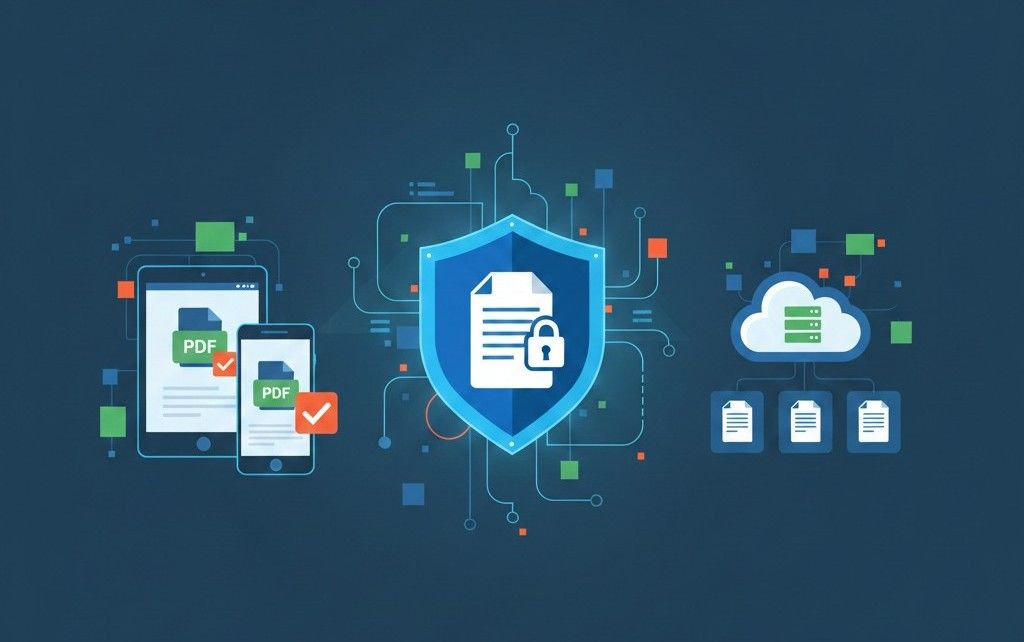
How to Share PDF Files Safely and Professionally in 2026 (Best Practices Guide)
Why PDF Sharing Still Goes Wrong
PDFs are the most widely used document format in the world, yet PDF sharing mistakes remain common. Broken layouts, oversized files, security risks, and compatibility issues can easily undermine professionalism and trust.
In 2026, safe and professional PDF sharing is not just about sending a file—it's about ensuring accessibility, security, clarity, and ease of use across devices and platforms.
This guide explains how to prepare, optimize, and share PDF files correctly, using modern online tools and proven best practices.
Why PDFs Are the Preferred Sharing Format
PDFs are used globally because they:
- Preserve layout and formatting
- Work across devices and operating systems
- Are easy to archive and distribute
- Look professional and consistent
However, PDFs need proper preparation before sharing to avoid common issues.
Step 1: Prepare the PDF for Sharing
Before sending a PDF, ensure the document is finalized.
Convert Editable Files to PDF
If your document was created in Word, always convert it to PDF before sharing to lock formatting.
This prevents font shifts, spacing issues, and accidental edits.
Step 2: Reduce File Size for Easy Sharing
Large PDFs cause problems such as:
- Email attachment failures
- Slow downloads
- Mobile compatibility issues
Best Practice
Compress your PDF before sharing:
Compression ensures fast uploads while maintaining quality especially important for clients, students, and remote teams.
Step 3: Combine Related Documents
Sending multiple PDF attachments can confuse recipients.
Solution
Merge related documents into one file:
This is ideal for:
- Reports with appendices
- Invoices and receipts
- Project documentation
- Academic submissions
Step 4: Use Images and PDFs Correctly
Scanned documents and photos are often shared incorrectly.
Common Mistake
Sending multiple image files instead of one PDF.
Correct Approach
- Convert images into a single PDF:
- Convert PDF pages into images when required:
This improves compatibility and keeps files organized.
Step 5: Review Before Sharing
Before sending:
- Check page order
- Review formatting
- Confirm readability on mobile
- Ensure file opens correctly
This step prevents embarrassment and rework.
Step 6: Share PDFs Securely
Security is a major concern when sharing documents.
Safe Sharing Practices
- Use HTTPS-based platforms
- Avoid untrusted file-sharing websites
- Don't leave files stored longer than needed
- Use platforms that delete files automatically
PDFtools.net processes files securely and removes them after a short period, reducing privacy risks.
Professional PDF Sharing Scenarios
For Students
- Submit assignments in compressed PDFs
- Combine multiple documents into one
- Ensure compatibility with learning platforms
For Professionals
- Share polished reports and proposals
- Maintain layout consistency
- Avoid email attachment issues
For Freelancers & Remote Workers
- Share work quickly across time zones
- Ensure clients can open files on any device
- Reduce back-and-forth revisions
For Businesses
- Share invoices, contracts, and documentation
- Maintain brand consistency
- Protect sensitive data
Using AI to Improve PDF Sharing Efficiency
Long PDFs can overwhelm recipients.
Smart Solution
Summarize documents before sharing key points:
This helps recipients understand content faster and improves communication clarity.
Common PDF Sharing Mistakes to Avoid
- Sending editable files instead of PDFs
- Forgetting to compress large documents
- Sharing multiple files instead of merging
- Using image files when PDFs are required
- Uploading documents to unsafe platforms
Avoiding these mistakes instantly improves professionalism.
External Best Practice Reference
For global digital document standards and file-sharing best practices, the ISO documentation guidelines provide useful insights: This supports secure and standardized document handling.
Conclusion: Share PDFs the Smart Way in 2026
Professional PDF sharing is about more than sending files—it's about clarity, security, accessibility, and efficiency. By preparing documents correctly, optimizing file size, and using trusted tools, users can share PDFs with confidence.
PDFtools provides everything needed to prepare, optimize, and share PDFs professionally without software, registration, or complexity.
Start optimizing your PDFs here
FAQs
1. What is the safest way to share a PDF file?
Use secure HTTPS-based tools, compress the file, and avoid platforms that store files permanently.
2. Should I compress a PDF before emailing it?
Yes. Compression improves delivery speed and prevents attachment errors.
3. Is it better to merge PDFs before sharing?
Yes. A single organized file is easier for recipients to review.
4. Can PDFs be shared safely on mobile devices?
Yes. PDFs are highly mobile-compatible when optimized correctly.
5. How can AI help with PDF sharing?
AI tools summarize long documents, making shared content easier to understand.