 English
 Spanish
 French
 German
 Italian
 Amharic
 Afrikaans
 Arabic
 Chinese
 Japanese
 Korean
 Turkish
 Finnish
 Bengali
 Czech
Czech
 Indonesian
 Danish
 Greek
Greek
 Hindi
Hindi
 Armenian
 Malay
Malay
 Dutch
Dutch
 Norwegian
 Polish
 Portuguese
 Romanian
 Russian
 Swedish
 Thai
Thai
 Vietnamese
 Ukrainian
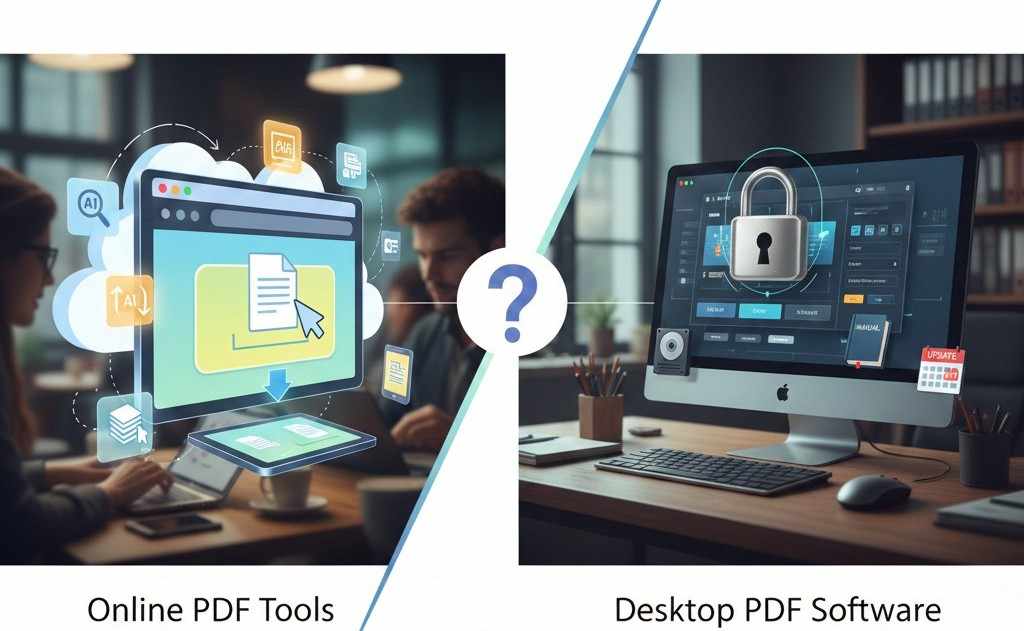
Online PDF Tools vs Desktop Software in 2026: Which Is Better for Modern Users?
The Big Shift in How We Work With PDFs
PDF files are everywhere assignments, contracts, reports, invoices, and presentations. For years, desktop PDF software dominated document workflows. But in 2026, more users are asking an important question: Do I still need desktop PDF software, or are online PDF tools enough?
With faster internet, browser-based tools, and AI-powered features, online PDF tools have evolved dramatically. This article provides a clear, unbiased comparison between online PDF tools and desktop software to help you choose what works best for your needs.
What Are Online PDF Tools?
Online PDF tools are browser-based services that allow users to manage PDF files without installing software. Common features include:
- PDF conversion
- File compression
- Merging documents
- Image-to-PDF conversion
- AI-powered summarization
Examples include tools like:
These tools run entirely in your browser and work on any device.
What Is Desktop PDF Software?
Desktop PDF software is installed locally on a computer. It often includes advanced features such as:
- Offline access
- OCR for scanned documents
- Form creation
- Digital signatures
While powerful, desktop tools usually require:
- Installation and updates
- Paid licenses or subscriptions
- Device-specific usage
Key Differences Between Online and Desktop PDF Tools
1. Accessibility and Convenience
Online PDF Tools
- Work on any device (desktop, tablet, mobile)
- No installation required
- Accessible anywhere with internet
Desktop Software
- Limited to installed devices
- Requires setup and updates
- Less flexible for remote work
For modern users, accessibility is a major advantage of online tools.
2. Speed and Ease of Use
Online tools are designed for quick actions:
- Upload
- Click
- Download
For example, converting a document using Word to PDF takes seconds:
Desktop software may offer more controls, but often requires more steps for simple tasks.
3. Cost Comparison
Online PDF Tools
- Many are completely free
- No subscription required
- Unlimited usage on trusted platforms
Desktop Software
- Often paid
- Subscription or one-time license fees
- Extra cost for updates or add-ons
For students and small businesses, free online tools are far more budget-friendly.
4. File Size and Performance
Large PDFs can slow down workflows.
- Online tools like Compress PDF reduce file size instantly
- Desktop tools can compress files too, but may consume system resources
For quick optimization, online tools are more efficient.
Security and Privacy Considerations
Security is often the biggest concern when choosing between online and desktop tools.
Online PDF Tools (Trusted Platforms)
- HTTPS encryption
- Automatic file deletion
- No forced registration
Desktop Software
- Files stay local
- Strong for offline and sensitive environments
- Security depends on system protection
For everyday documents, secure online tools are safe. For highly confidential or regulated data, desktop software may still be preferred.
AI Features: Where Online Tools Lead
One major advantage of online PDF tools in 2026 is AI integration.
Example: PDF Summarize uses AI to extract key points from long documents
Desktop tools rarely offer built-in AI summarization without expensive upgrades.
Image and PDF Handling Comparison
Both approaches support image workflows, but online tools simplify the process:
No plugins, no configuration, just instant results.
Which Option Is Better for Different Users?
Students
- Online tools free, fast, no installation
- Ideal for assignments and submissions
Professionals
- Online tools for daily tasks
- Desktop software for advanced editing
Remote Workers & Freelancers
- Online tools work from anywhere
- No device limitations
Businesses
- Online tools for volume processing
- Desktop tools for compliance-heavy workflows
When Should You Choose Online PDF Tools?
Choose online tools if you:
- Want fast results
- Work across multiple devices
- Prefer free solutions
- Don't need advanced offline features
PDFtools is a strong example of a platform designed for modern workflows.
When Desktop Software Still Makes Sense
Desktop PDF software may be better if:
- You work offline frequently
- You need advanced OCR or form creation
- Regulatory compliance requires local storage
External Industry Insight
According to Gartner's digital workplace research, cloud-based tools continue to replace traditional desktop software for everyday productivity tasks: This trend strongly supports the growth of browser-based PDF tools.
Conclusion: The Smarter Choice for 2026
In 2026, the choice between online PDF tools and desktop software depends on your workflow but for most users, online PDF tools offer better speed, flexibility, and value.
With features like conversion, compression, merging, image handling, and AI summarization, PDFtools.net provides everything needed for modern document management without the burden of software.
FAQs
1. Are online PDF tools reliable in 2026?
Yes. Trusted platforms provide fast, accurate, and secure processing for most document tasks.
2. Can online PDF tools replace desktop software completely?
For most users, yes. Only advanced or regulated workflows still require desktop tools.
3. Are free online PDF tools safe to use?
They are safe when the platform uses encryption and automatic file deletion.
4. Do online PDF tools work on mobile devices?
Yes. They are fully compatible with smartphones and tablets.
5. Which is better for AI-powered features?
Online PDF tools lead in AI features like summarization and automation.