 English
 Spanish
 French
 German
 Italian
 Amharic
 Afrikaans
 Arabic
 Chinese
 Japanese
 Korean
 Turkish
 Finnish
 Bengali
 Czech
Czech
 Indonesian
 Danish
 Greek
Greek
 Hindi
Hindi
 Armenian
 Malay
Malay
 Dutch
Dutch
 Norwegian
 Polish
 Portuguese
 Romanian
 Russian
 Swedish
 Thai
Thai
 Vietnamese
 Ukrainian
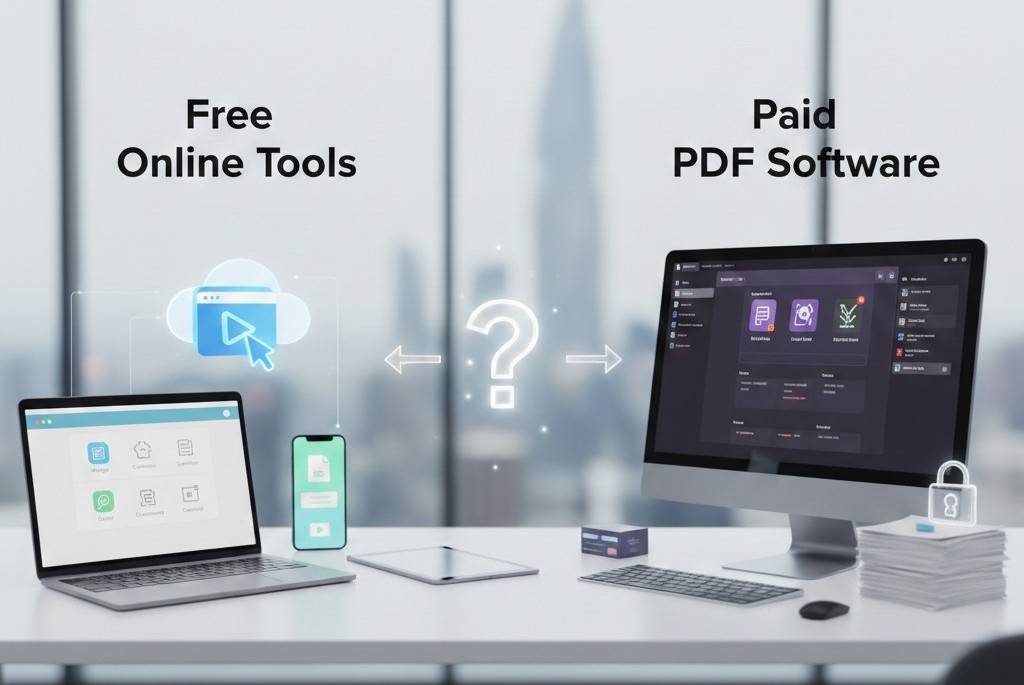
Free PDF Tools vs Paid PDF Software in 2026: Which One Do You Really Need?
The PDF Tool Dilemma in 2026
When working with PDFs, users often face a common question: Should I use free online PDF tools or invest in paid PDF software?
For years, paid software dominated the market. But in 2026, powerful free online PDF tools have changed the landscape. Many users now realize they don't need expensive subscriptions to convert, compress, merge, or manage PDF files.
This article compares free online PDF tools and paid PDF software, explains their real differences, and helps you decide which option fits your workflow best.
What Are Free Online PDF Tools?
Free online PDF tools are browser-based platforms that allow users to perform common PDF tasks without installing software.
Typical features include:
- PDF to Word conversion
- Word to PDF conversion
- PDF compression
- PDF merging
- Image to PDF and PDF to image
- AI-powered PDF summarization
Example tools available at PDFtools.net.
They focus on speed, accessibility, and simplicity.
What Is Paid PDF Software?
Paid PDF software usually comes as:
- Desktop applications
- Monthly or yearly subscriptions
- Enterprise-focused solutions
These tools often offer:
- Advanced OCR
- Digital signatures
- Form creation
- Team collaboration features
- Offline processing
However, many users never use most of these advanced features.
Key Differences Between Free and Paid PDF Tools
1. Cost
Free Online Tools
- $0 cost
- No subscriptions
- No hidden fees
Paid Software
- Monthly or annual payments
- Costs increase with team size
For individuals and small teams, free tools provide better value.
2. Ease of Use
Free online tools:
- Open instantly in a browser
- Require no setup
- Work on any device
Paid software:
- Requires installation
- Needs updates
- Often has a learning curve
Speed matters more than complexity for everyday PDF tasks.
3. Device Compatibility
Online PDF tools:
- Work on laptops, tablets, and smartphones
- Ideal for remote work
Paid software:
- Often limited to specific devices
- Licenses may restrict usage
4. Feature Relevance
Most users regularly need only:
- Conversion
- Compression
- Merging
- Basic editing
Advanced paid features are useful mainly for:
- Legal departments
- Large enterprises
- Specialized workflows
Who Should Use Free Online PDF Tools?
Students
- Submitting assignments
- Compressing files for portals
- Converting notes
Freelancers
- Client deliverables
- Editing documents on the go
- No software dependency
Remote Workers
- Device flexibility
- Fast collaboration
Small Businesses
- Managing invoices and reports
- No recurring costs
For these users, free tools like PDFtools cover nearly all needs.
When Paid PDF Software Makes Sense
Paid software is justified if you:
- Need advanced OCR regularly
- Work with legal signatures
- Require offline-only workflows
- Manage enterprise-level document systems
For most everyday users, these needs are rare.
Security: A Common Misconception
Many assume paid software is always more secure. That's not necessarily true.
Trusted online PDF tools offer:
- Encrypted file transfers
- Automatic file deletion
- No file storage
- No account creation
This often results in less data exposure, not more.
Free Tools Are Getting Smarter With AI
One major advantage of modern free PDF tools is AI integration.
This allows users to:
- Extract key points instantly
- Skip long reading sessions
- Improve productivity
Paid software often lacks built-in AI summarization or charges extra.
External Industry Perspective
According to Gartner's digital workplace research , lightweight, cloud-based tools increasingly replace heavy desktop software for daily tasks: This trend strongly supports the rise of free online PDF tools.
Decision Guide: Free vs Paid PDF Tools
| Your Need | Best Choice |
|---|---|
| Quick conversions | Free online tools |
| No installation | Free online tools |
| Mobile access | Free online tools |
| AI summarization | Free online tools |
| Legal-grade workflows | Paid software |
| Offline-only work | Paid software |
Conclusion: Choose What Fits Your Workflow, Not the Price Tag
In 2026, productivity isn't about using expensive tools it's about using the right tools. Free online PDF tools have evolved into powerful, secure, and intelligent solutions for everyday document work.
For most users, free platforms like PDFtools deliver everything needed—without subscriptions, installations, or limitations.
Explore free PDF tools here!
FAQs
1. Are free PDF tools good enough for professional work?
Yes. Many professionals use free tools daily for reports, proposals, and client documents.
2. Do free PDF tools reduce quality?
No. Trusted platforms maintain formatting and output quality.
3. Is paid PDF software outdated?
Not outdated, but often unnecessary for common tasks.
4. Can free PDF tools replace paid software completely?
For most users, yes. Only advanced workflows require paid solutions.
5. What is the best free PDF tool in 2026?
An all-in-one platform with no limits, strong privacy, and AI features is ideal.