 English
 Spanish
 French
 German
 Italian
 Amharic
 Afrikaans
 Arabic
 Chinese
 Japanese
 Korean
 Turkish
 Finnish
 Bengali
 Czech
Czech
 Indonesian
 Danish
 Greek
Greek
 Hindi
Hindi
 Armenian
 Malay
Malay
 Dutch
Dutch
 Norwegian
 Polish
 Portuguese
 Romanian
 Russian
 Swedish
 Thai
Thai
 Vietnamese
 Ukrainian
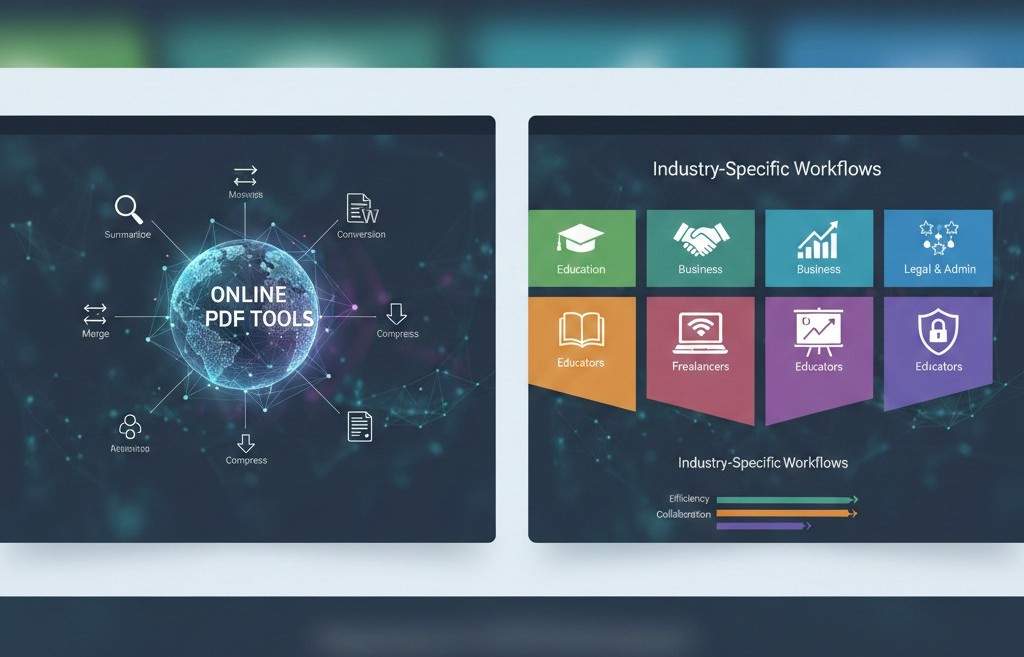
How Different Industries Use Online PDF Tools in 2026 (Real-World Use Cases)
PDF Tools Are No Longer One-Size-Fits-All
Online PDF tools are often seen as simple utilities for converting or compressing files. In reality, they have become essential workflow tools across multiple industries. From education and remote work to business operations and content creation, PDFs are everywhere and how they are handled can either slow teams down or make them more efficient.
In 2026, different industries use online PDF tools in very specific ways, tailored to their needs for speed, accuracy, collaboration, and security. This article breaks down real-world use cases to show how online PDF tools fit into modern professional workflows.
Why Industry-Specific PDF Workflows Matter
Each industry works with PDFs differently:
- Students focus on submissions and readability
- Businesses prioritize consistency and speed
- Freelancers need flexibility
- Educators manage volume
- Legal and administrative teams care about structure and security
Understanding these differences helps users choose the right tools for the right purpose.
1. Education: Students and Academic Institutions
Common PDF Tasks
- Submitting assignments
- Compressing large files for portals
- Converting lecture notes
- Reading long research papers
How Online PDF Tools Help
Students frequently convert editable files into PDFs before submission to avoid formatting issues.
Large assignments are compressed to meet upload limits:
AI summarization helps students review material faster:
Result: Faster submissions, fewer errors, better study efficiency.
2. Business & Corporate Teams
Common PDF Tasks
- Sharing reports
- Managing invoices
- Combining documentation
- Reducing email attachment issues
How Online PDF Tools Help
Businesses often merge multiple documents into a single professional file:
They compress files before emailing clients or stakeholders to avoid delivery issues.
They also convert reports into PDFs to lock formatting and prevent accidental edits.
Result: Cleaner communication, faster approvals, smoother operations.
3. Freelancers and Remote Workers
Common PDF Tasks
- Delivering client work
- Editing documents on multiple devices
- Sharing proposals and drafts
- Handling scanned documents
How Online PDF Tools Help
Freelancers rely on browser-based tools because they:
- Work on any device
- Require no installation
- Save time on setup
Converting PDFs into editable Word files allows quick revisions:
Images from scans or phone photos are converted into PDFs for professional delivery:
Result: Faster client turnaround and fewer technical obstacles.
4. Educators and Training Professionals
Common PDF Tasks
- Preparing teaching materials
- Distributing worksheets
- Managing multiple documents
- Sharing learning resources
How Online PDF Tools Help
Educators merge lesson materials into single PDFs for easy sharing:
They convert documents into PDFs to ensure students see the same formatting on all devices.
AI summarization helps extract key points from lengthy reference documents.
Result: Simplified content delivery and improved learning accessibility.
5. Marketing and Content Teams
Common PDF Tasks
- Creating downloadable guides
- Sharing presentations
- Managing visual assets
- Repurposing content
How Online PDF Tools Help
Marketing teams convert PDFs into images for previews or social sharing:
They compress PDFs to improve download speed and user experience.
Content drafts are converted from Word to PDF for final publishing.
Result: Better content distribution and improved audience engagement.
6. Administrative and Operations Teams
Common PDF Tasks
- Handling forms and records
- Managing internal documentation
- Organizing reports
How Online PDF Tools Help
Documents are merged, compressed, and standardized into PDFs for record-keeping.
Browser-based tools reduce dependency on specific computers or software.
Result: Faster internal workflows and reduced operational friction.
Security Across All Industries
Regardless of industry, document security is critical. Trusted online PDF tools provide:
- HTTPS encryption
- Automatic file deletion
- No forced registration
- No watermarking
This ensures files remain private while workflows stay fast.
Why Online PDF Tools Fit Every Industry in 2026
Online PDF tools succeed across industries because they are:
- Flexible
- Device-agnostic
- Easy to learn
- Fast to use
- Cost-effective
They adapt to the user not the other way around.
External Industry Insight
According to McKinsey's digital productivity research, organizations that simplify document workflows gain measurable efficiency improvements: This supports the growing reliance on browser-based document tools.
Conclusion: One Format, Many Industry Solutions
In 2026, PDFs continue to be the backbone of digital documentation but how they are managed depends on the industry. Online PDF tools allow students, professionals, educators, freelancers, and businesses to tailor workflows to their specific needs.
With conversion, compression, merging, image handling, and AI summarization, PDFtools.net supports real-world use cases across industries without software, registrations, or complexity.
Explore industry-ready PDF tools here!
FAQs
1. Can online PDF tools be used in professional industries?
Yes. They are widely used across education, business, marketing, and operations.
2. Are online PDF tools suitable for remote teams?
Absolutely. They are ideal for distributed and remote work environments.
3. Do different industries need different PDF tools?
Yes, but a flexible all-in-one platform can serve most needs.
4. Are free PDF tools reliable for daily industry use?
Trusted platforms provide consistent quality and security for everyday tasks.
5. Why are PDFs still important across industries?
PDFs ensure consistent formatting, easy sharing, and long-term compatibility.