 English
 Spanish
 French
 German
 Italian
 Amharic
 Afrikaans
 Arabic
 Chinese
 Japanese
 Korean
 Turkish
 Finnish
 Bengali
 Czech
Czech
 Indonesian
 Danish
 Greek
Greek
 Hindi
Hindi
 Armenian
 Malay
Malay
 Dutch
Dutch
 Norwegian
 Polish
 Portuguese
 Romanian
 Russian
 Swedish
 Thai
Thai
 Vietnamese
 Ukrainian
How to Unlock a Password-Protected PDF in 2026
PDF files often contain private data that owners want to keep secure. Passwords help control access and prevent misuse of important records online across many devices and common file transfer situations. Locked documents support privacy and still permit safe exchange between trusted people.
Problems arise when users forget passwords or receive files from others. Many users often look for simple ways to unlock PDF files during daily work. Clear guidance helps readers understand risks before they unlock PDF content. Strong reasons explain why protection matters across business education and personal use.
The following is a detailed guide on how to remove PDF password using trusted PDF unlockers. We will also provide valuable insights related to the legality of unlocking PDF passwords.
How PDF Unlocking Works
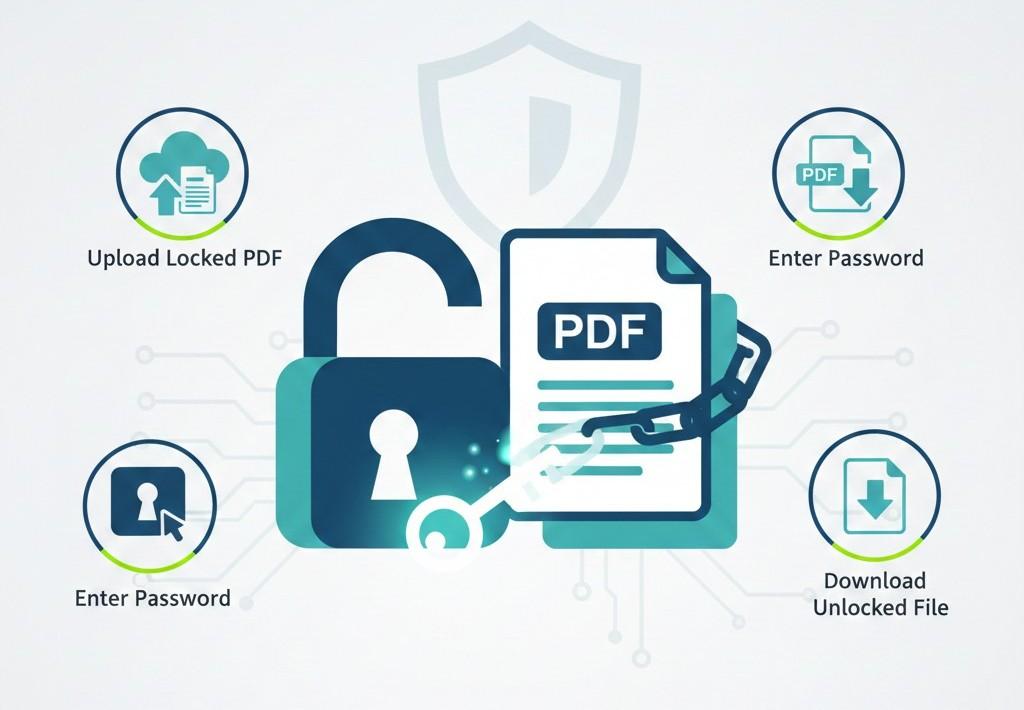
PDF unlocking starts when a user uploads a PDF document to the PDF unlocker. The program asks for the correct password before any change happens. The password proves ownership and allows safe access to the file content. Strong tools check the password value through built-in security rules.
After approval, the tool removes the encryption layer from the document. This step opens text images and links without altering original information. Good software keeps the layout stable and prevents damage during the unlock phase. Users then view, edit, or share content without facing access limits.
Simple steps guide people through the process with clear prompts and visible progress on screen. Most tools finish quickly and help users regain full control safely with simple actions. Reliable PDF unlocking services explain each stage so users understand what happens during document access steps.
Step-by-Step: Unlock a PDF
Online software usually requires you to complete the following steps to unlock PDFs.
Upload locked PDF
Select the locked PDF from your device with a trusted unlock tool. Check file details and confirm the correct document before the process begins. This step prepares the system and prevents mistakes during document use.
Enter password
Enter the correct password in the field that the tool displays. Accuracy matters because one error stops access to the document completely. The system checks the password and confirms valid ownership instantly.
Download the unlocked file
Download the unlocked file after the tool grants full document access. Save the file to a secure folder on your device today. Open the document freely and confirm that the content appears without access limits.
Best PDF Unlock Tools
Here are some of the best PDF unlockers to consider.
Adobe Acrobat
Adobe Acrobat offers a trusted platform for unlocking PDF files with secure handling. This tool works well with many file types and complex layouts inside documents. Users find Acrobat useful when documents contain images and text that must stay accurate. Strong support and frequent updates keep this software reliable for many business needs.
Pros
- Works with many file types across major operating systems.
- Maintains original design and layout after the unlock process.
- Offers built-in security and professional-grade PDF features.
Cons
- Requires a paid subscription to access full features.
- New users may find the interface hard to navigate at first.
- Heavy installation (for desktop software) requires significant device storage space.
iLovePDF
iLovePDF works inside a web browser and helps with basic unlocking steps. This tool keeps tasks simple and straightforward for everyday document needs. Users can drag and upload files quickly without installation steps on devices. iLovePDF supports many languages and works across different online systems now.
Pros
- Web-based use means no software installation is needed.
- Very easy steps help users unlock files quickly.
- Works on many devices with internet access.
Cons
- The free version has limits on the files processed every day.
- Internet connection must stay active during use.
- Advanced features require a paid plan with an extra cost.
Smallpdf
Smallpdf provides clear on-screen instructions that anyone can follow with ease. This tool unlocks PDF files and offers extra editing options after access. Users appreciate the clean layout and helpful guides inside the interface. Smallpdf uploads files rapidly with secure handling across trusted connections.
Pros
- The simple design makes it easy for beginners to understand.
- Offers added tools like compression and format conversion.
- Works well inside mobile and desktop web browsers.
Cons
- The full feature set requires a subscription plan payment.
- Some tools show limits under the free tier version.
- Larger files may take longer to upload on slow networks.
Let's have a comparison between these so you can decide which one suits your needs.
| Feature | Adobe Acrobat | iLovePDF | Smallpdf |
|---|---|---|---|
| Ease of Use | The interface feels complex for new users | Simple steps suit beginners well | Clean design helps quick understanding |
| Cost | Paid subscription required for full access | Free version includes daily usage limits | Subscription needed for advanced tools |
| Platform Support | Works on desktop and mobile systems | Runs on any browser with internet | Supports mobile and desktop browsers |
| Unlock Quality | Preserves layout and formatting accurately | Works best with simple documents | Maintains quality with added tools |
| Extra Features | Includes editing and security tools | Focuses on basic PDF tasks | Offers compression and conversion options |
Legal and Security Notes
Knowing the data protection laws helps you act wisely when you unlock PDF files you own. Many countries protect digital content with rules that forbid removing technical locks without permission.
In the United States, a provision of the Digital Millennium Copyright Act makes it illegal to circumvent access controls that restrict access to a copyrighted work without the owner's authority. This law defines " circumvent " as bypassing or decrypting a protected work without permission.
Laws against unauthorized access may also apply when you break security on files you do not own. The United Kingdom's Computer Misuse Act makes it an offence to gain access to computer material without authorization. This includes data stored in locked files on a system you do not control. Penalties can include fines or imprisonment for serious cases.
Legal sources typically allow owners or permitted users to unlock their own files. Advice from digital law sources says that owning a document or having explicit permission makes unlocking lawful. If you lack this permission, then removing protection may violate intellectual property or computer access laws in your country. Always check the original legislation text and seek legal counsel where needed.
Conclusion
PDF files often store sensitive information that needs strong access control during sharing. Passwords protect content and reduce misuse across work, education, and personal communication. Issues appear when users forget passwords or receive locked files from others.
PDF unlocking uses simple steps that start with uploading a protected document. Users enter the correct password, and the tool removes encryption safely. Good tools preserve layout and allow viewing, editing, and sharing without restrictions.
Adobe Acrobat, iLovePDF, and Smallpdf offer reliable PDF unlocking solutions. Each tool provides different features, costs, and ease of use levels. Legal rules allow unlocking only with ownership or clear permission.
FAQs
Is unlocking PDFs legal?
Unlocking PDF files is legal only if you own the document or have explicit permission. Laws prevent unauthorized access, and violating them can lead to fines or legal action. Always confirm ownership before removing password protection from any file.
Can I unlock PDFs for free?
Many online tools allow users to unlock PDFs without paying, though limits often apply. Free services usually restrict file size, daily usage, or advanced features. Users can complete basic unlocking tasks without subscriptions using trusted web platforms.
Does unlocking remove encryption?
Unlocking a PDF removes the encryption layer that blocks access to its content. This allows viewing, editing, and sharing files without restrictions. Strong tools preserve the original layout and protect text, images, and links inside the document.
Is a password required to unlock the PDF?
Most PDF unlocking tools require the correct password before granting access. Entering a wrong password prevents unlocking completely. The password confirms ownership and ensures only authorized users can remove restrictions from the file.
Are files stored online?
Many PDF unlock services process files temporarily on secure servers while unlocking. Trusted platforms delete files automatically after a short period. Users should avoid uploading sensitive documents to services without clear privacy and security policies.