 English
 Spanish
 French
 German
 Italian
 Amharic
 Afrikaans
 Arabic
 Chinese
 Japanese
 Korean
 Turkish
 Finnish
 Bengali
 Czech
Czech
 Indonesian
 Danish
 Greek
Greek
 Hindi
Hindi
 Armenian
 Malay
Malay
 Dutch
Dutch
 Norwegian
 Polish
 Portuguese
 Romanian
 Russian
 Swedish
 Thai
Thai
 Vietnamese
 Ukrainian
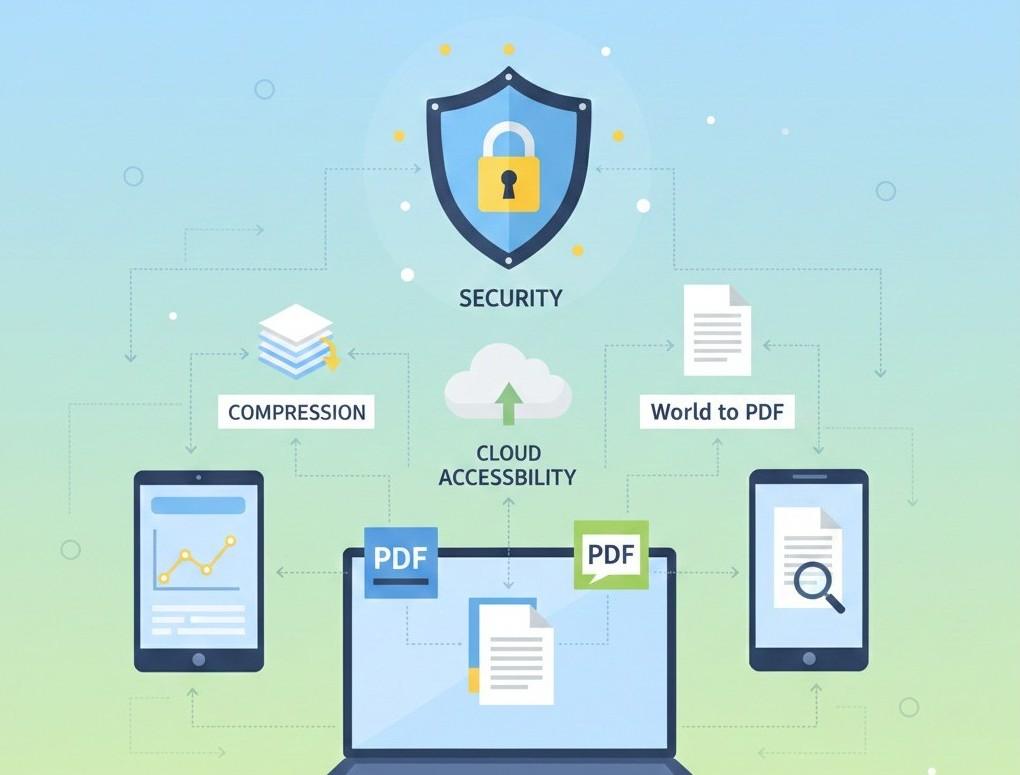
How to Choose the Right PDF Tool for Your Workflow in 2026: A Smart Decision Guide
Why Choosing the Right PDF Tool Matters
In 2026, working with digital documents is no longer optional; it's part of everyday life. Students submit assignments online, professionals share reports digitally, and businesses manage contracts through PDFs. With so many free and paid PDF tools available, choosing the right PDF tool for your workflow can directly impact productivity, security, and document quality.
Many users make the mistake of using random tools without considering their specific needs. This guide helps you understand how to evaluate PDF tools, what features matter most, and how to build a smooth document workflow using reliable online solutions.
Understanding Your PDF Workflow Needs
Before choosing a PDF tool, it's important to identify what tasks you perform most often. Ask yourself:
- Do I need to edit or convert PDFs?
- Do I work with large files that require compression?
- Do I handle multiple documents that need merging?
- Do I need tools that work on mobile devices?
Once your workflow is clear, selecting the right tools becomes much easier.
Essential Features to Look for in a PDF Tool
1. Conversion Accuracy
If your workflow involves editing, conversion quality is critical. A reliable PDF tool should maintain:
- Original formatting
- Fonts and layout
- Images and tables
For example, converting editable files is easier with tools like Word to PDF: PDF to Word and Word to PDF :
2. File Size Optimization
Large PDFs can be difficult to email or upload. A good workflow includes a Compress PDF tool that reduces file size without damaging quality:
This feature is especially useful for students, freelancers, and remote teams.
3. Document Organization
Managing multiple PDFs is common in professional environments. Tools that allow you to merge PDF files help keep documents clean and organized:
This is ideal for combining invoices, reports, or scanned pages into one file.
Security and Privacy: A Must-Have in 2026
PDF documents often contain sensitive information. Any tool you choose should offer:
- HTTPS encryption
- Automatic file deletion
- No forced registration
- Transparent privacy policies
PDFtools processes files securely and removes them automatically, making it suitable for daily professional use.
Device Compatibility and Accessibility
Modern workflows are no longer limited to desktops. The best PDF tools should:
- Work on smartphones, tablets, and computers
- Run directly in a web browser
- Require no software installation
This flexibility allows users to convert or edit documents anytime, anywhere.
Advanced Workflow Tools That Improve Productivity
PDF Summarization
Long documents can slow down decision-making. A PDF summarizer helps extract key points quickly:
This is especially useful for students reviewing research papers or professionals analyzing reports.
Image and PDF Conversion
Scanned documents and images are part of many workflows. Tools like:
allow seamless movement between formats without quality loss.
Free vs Paid PDF Tools: Which Is Better?
Many assume paid tools are always better, but that's not always true.
Free PDF Tools Are Ideal When:
- You need quick conversions
- You don't want to install software
- You value speed and simplicity
- You want unlimited usage
Paid Tools May Be Needed When:
- Enterprise compliance is required
- Advanced OCR or legal workflows are involved
For most users, high-quality free tools like PDFtools.net are more than sufficient for daily needs.
How PDFtools.net Fits Different User Workflows
Students
- Convert assignments to PDF
- Compress files for submission
- Summarize long study materials
Professionals
- Edit reports using PDF to Word
- Merge documents before sharing
- Maintain clean formatting
Remote Workers & Freelancers
- Access tools from any device
- No installation required
- Fast turnaround times
Businesses
- Handle invoices and contracts efficiently
- Process large volumes of documents
- Maintain data security
External Resource for Workflow Best Practices
For broader document workflow strategies and digital productivity standards, Microsoft's documentation on digital document management is a useful external reference: (This complements online PDF tools for structured business environments.)
Conclusion: Build a Smarter PDF Workflow in 2026
Choosing the right PDF tool is not about using everything, it's about using what fits your workflow. By focusing on conversion quality, security, device compatibility, and productivity features, users can handle documents faster and more efficiently.
PDFtools offers a complete set of free, secure, and reliable tools that adapt to different needs, making it a practical choice for students, professionals, and businesses alike.
FAQs
1. How do I know which PDF tool is right for me?
Identify your most frequent tasks conversion, compression, merging, or summarizing and choose tools that specialize in those actions.
2. Can I use multiple PDF tools together?
Yes. Using a combination of PDF to Word, Compress PDF, and Merge PDF creates an efficient workflow.
3. Are free PDF tools reliable for professional work?
Trusted platforms with secure processing and quality output are suitable for most professional tasks.
4. Do I need to install software to use PDF tools?
No. Browser-based tools work instantly without downloads or installations.
5. Are online PDF tools safe for business documents?
Yes, when using platforms that encrypt files and delete them automatically after processing.